Every property keeps its own ledger
Rent, mortgage and fees tracked per address — by month or all time — with the net position in front of you, and the history kept when you sell.
Property, tax and everyday spending
Track everyday spending, keep a ledger for every rental, and turn the year into ATO-categorised tax reports — on iPhone, iPad and the web.
Free for your own ledger — the bank feed arrives with the trial, and property performance and tax reports are on the paid plan. The everyday ledger works anywhere; tax reports are built for the Australian financial year.
Property and tax
If you own a rental, Expentio keeps its money apart from everyday life — and turns a year of entries into something your accountant can use.
Rent, mortgage and fees tracked per address — by month or all time — with the net position in front of you, and the history kept when you sell.
Pick an Australian financial year and Expentio totals rental income and ATO-categorised deductions for each property, sets capital items aside for your cost base, and gives you a PDF to hand over.
Connect your bank and transactions arrive already categorised. Your dashboard then points out what moved this month from your own records, with the figures shown so you can check them.
The ledger itself is free: import a bank CSV, add entries without a limit, set reminders, and export everything whenever you like.
Recording happens in the app or on the web — property performance charts and tax reports are in the web dashboard. Both are part of the paid plan; the bank feed and AI categorisation begin with the free trial. Tax reports summarise the entries you have recorded for your accountant — they are not tax advice.
Product
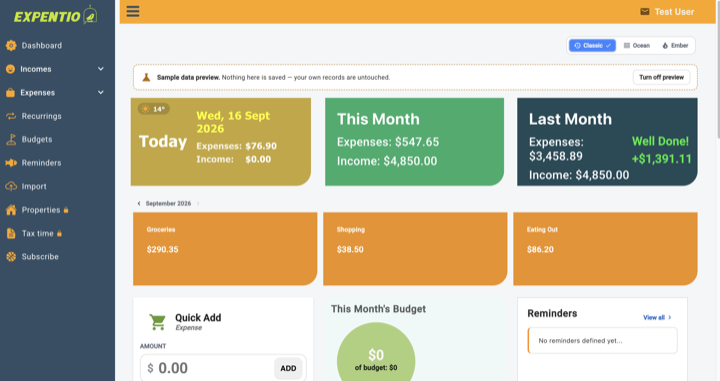
Screens from the current build. The property ledger needs the paid plan; the rest is free or trial. Switch between them — nothing moves on its own.
Quick add for the coffee, CSV import or a bank feed for the rest. Every row lands in one queue you approve before it counts.
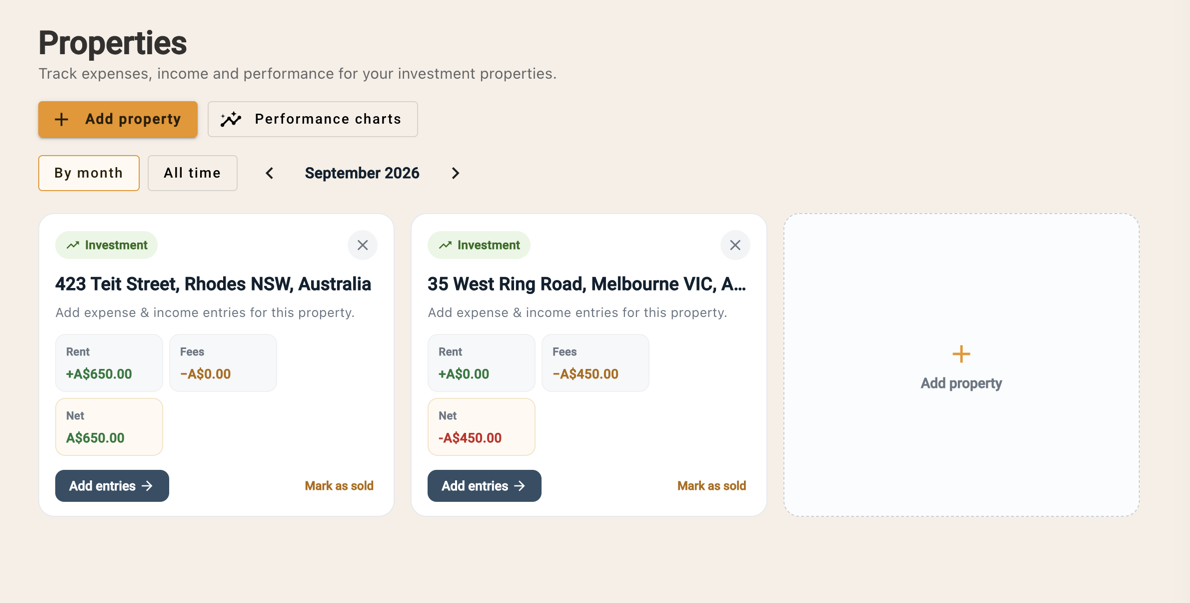
Strata, council, insurance, agent fees, maintenance and mortgage repayments — every cost against the property it belongs to.
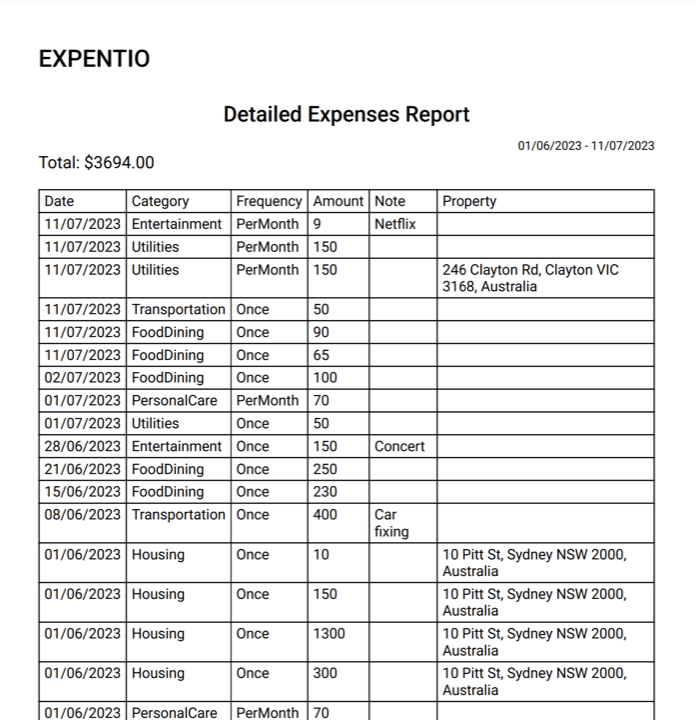
A date range, grouped the way you file it, with frequency and notes — ready to hand over or export.
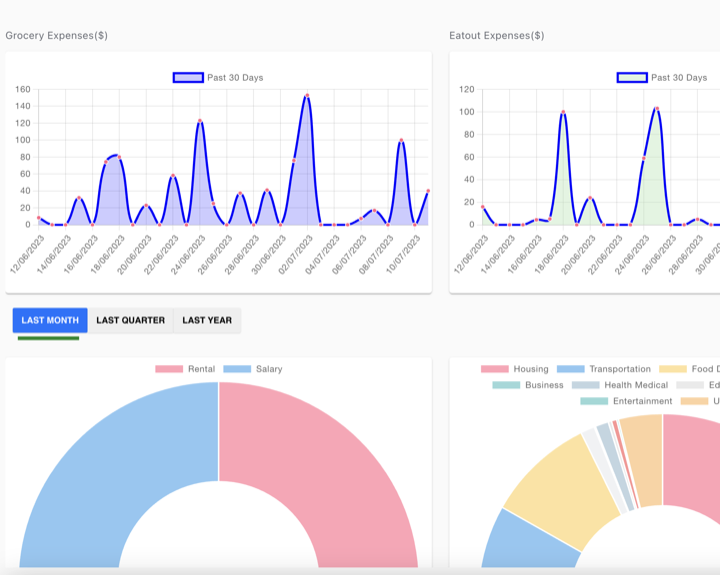
Where the money went, how it compares with last month, and which categories moved.
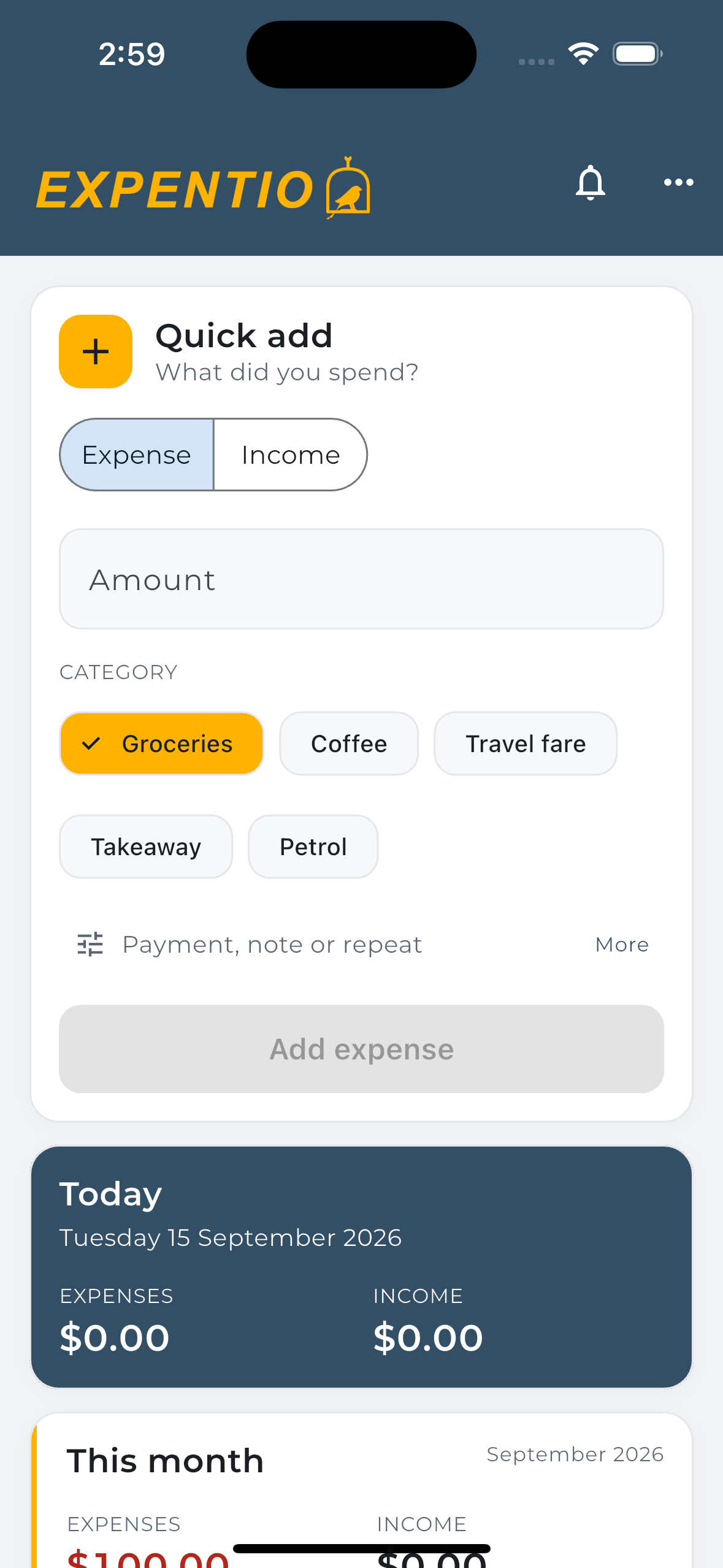
Quick add on iPhone: what you spent, which category, and a payment, note or repeat when it matters. It is the same ledger as the web app, so it is there when you get back to your desk.
Getting started
Connect a bank or bring your own statements. Either way, you approve every row before it reaches your ledger.
Connect your bank through open banking, or import a CSV from any bank. Cash and one-offs go in with quick add.
Transactions queue up with a suggested category or property. Approve, fix or ignore — nothing is counted until you say so.
Your dashboard and budgets from the free ledger, plus per-property performance and the ATO-categorised tax report on the paid plan.
Pricing
Your own ledger stays free — unlimited entries, CSV import, reminders and export. You only pay for the property and tax side.
$0.00/month
Australian dollars.
Start freeNo card to start, and your records come with you if you leave.
Questions
Yes, through Australian open banking (CDR). Connections are read-only — we can never move money — and you approve what is shared. If your bank is not supported, CSV import covers every bank.
No. You sign in on your bank's own page through our open banking provider. Expentio receives account and transaction data only, never your credentials.
No. Expentio produces an ATO-categorised report of the income and deductions you recorded, per property, for the financial year, with a PDF for your accountant. It is not tax advice.
No. The everyday ledger, budgets, reminders and CSV import work on their own, and the property and tax tools are there if you need them.
Your ledger is free: unlimited entries, CSV import, reminders and export. The bank feed and AI categorisation come with the trial. Property performance and tax reports are part of the paid plan.
Yes. Export your data whenever you like and cancel at any time — your records are yours.
Free to start, no card. iPhone, iPad and the web.
Start free